

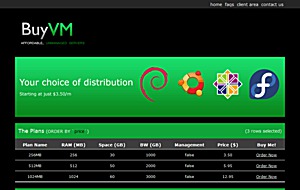
 “Do BuyVM have any stock?” seems to be one of the most frequently asked questions here. And behold! Pony the Almighty has spoken. Jay wrote in to point me to this announcement on FranTech:
Francisco went to bzImage and said, “Thus says The Pony, the God of Frantech, ‘Let My people go, that they may purchase VPS goodness.” But bzImage said, “Not until Monday April 18th at 12:00pm GMT-7”
New Clients: Please remember to register with accurate account details as the red sea shall not be parted for fraud.
Not too sure whether there will be 10 plagues, and the last one kills bzImage’s first born process (die, init(1) die!) but at least the date/time is clear. Monday. April 18th at lunch time. BuyVM will have stock (yes Francisco — don’t make us disappointed). Including their popular $15/year offer.
- 128MB guaranteed/256MB burstable memory
- 15GB storage
- 500GB/month data transfer
- 1x IPv4 + lots of IPv6
- OpenVZ/SolusVM
Their servers are with Hurricane Electric in Fremont CA, and BuyVM were voted the #1 in 2011 Q1 by the LowEndTalk community. Get your world clock ready if you are not in US 🙂
Featured Offers
 Featured
 Featured
 Featured

Have you benchmarked your server yet?
Run a free ServerVerify benchmark and compare real-world CPU, disk and network performance with community-tested VPS and dedicated servers.
Related Posts:

Hyper Expert 2.0: A Whole New Mission, Same Great Team - an Interview with Founder Ali

Get a VPS for Under £7/Year in Fremont, CA or Frankfurt am Main, Germany from BitsFlow!

Double WOW! Can You Believe This: a $7/Year VPS in California From VeloxMedia!
This Offer from VeloxMedia is Packed Full of Bonuses for Our Readers! Cheap Dedicated Server and Che...
Black Friday Never Ends! Check This Out: VeloxMedia has a 1GB VPS for £10/Year in California!

How Private is Your Hosted Data, Really? Even That Encrypted Stuff...

LEA (LowEndAdmin) is the original founder of LowEndBox and the visionary who gave rise to an entire movement around minimalist, efficient hosting. In 2008, LEA launched LowEndBox with a simple but powerful idea: that it was possible to run meaningful applications, web servers, VPNs, mail servers, and more – on small, low-cost virtual machines with minimal resources.
At a time when most infrastructure discussions were dominated by high-end servers and enterprise platforms, LEA championed the opposite approach: lightweight Linux distros, self-managed servers, open source software, and thoughtful optimization. This philosophy gave birth to the term “Low End Box”, which would come to define a new genre of hosting tailored to developers, tinkerers, and budget-conscious users around the world.
Through LowEndBox and its companion forum, LowEndTalk, LEA built the foundation for what would become one of the most active and enduring communities in the hosting world, prioritizing knowledge-sharing, transparency, and accessibility.
After several years of nurturing the site and community, LEA stepped away from active involvement, passing the torch to a new generation of admins, contributors, and moderators. Today, LEA remains a respected figure in the LowEnd ecosystem, credited with launching a platform and philosophy that continues to influence thousands of infrastructure providers and users globally.
LowEndBox’s legacy, and its thriving community, is a direct result of LEA’s original vision.























The great linode, The almighty prgmr, The pony buyvm, all down (fremont only -red). and i’m thinking about, how much user/client going down this day!? hahaha (including me) -___-“
Re: http://forum.linode.com/viewtopic.php?p=38996#38996
This is why you test them once a month. I’m amazed that very few datacenters actually do this.
I can’t understand what really took that datacenter down, this is isn’t in favor for datacenters reputation. As it is not a hurricane or fire or whatever accident, but power is down, sould’ve gone normal.
Node 27 rebooted.. again? u_u (Ksplice failed??)
Last night it did and that was entirely on me. ksplice wasn’t related to that but we have been rolling out updates on it with great success.
I’m going to be making a public apology and document about what we’re doing to get over the last few humps we’ve had due to the power outages and such. I hope to have that written by tonight.
Thanks,
Francisco
I’m on Node 27, i even can’t ‘yum update’, nor install php-common.
I have a friend who has same package(yearly) on different node, he can do whatever he wants to,
even can install full virtualmin without any problem, but Node 27, I think it is a piece of crap.
There’s known issues with yum requiring gobs of ram.
If you need a temp ram boost you can log a ticket.
Francisco
100% success on a 128/256 vm I created on a node to test some ideas for this problem, add the following line to /etc/yum.conf
exclude=udev kernel* mkinitrd module-init-tools MAKEDEV filesystem* tzdata*
Then yum -y update
Tech told me so.
Only on node 27, so much problem, I think this is worse than (no joke) hostrail’s $1.05 vps.
Don’t need any boost, I won’t use it.
We had a thread on this over on LET but I can;t find it right off. Something big came down and you had to do a temp bump up in memory to get it to install.
Anthony told you what? that you needed a ram boost? We’ve given out a few dozen+ boosts so far.
Anyways, if you’d like a refund just log a ticket as i’m sure there is many other people that’ll take a sprint for the slot. I’d rather you be happy with the plan or simply have your cash back.
Francisco
Francisco I would be very happy to take his slot should he cancel. Please reserve it for me. Thanks!
no, I don’t want refund.
So what can I do to help you enjoy your VPS a bit better? 🙂
I can schedule you get put on the new 128MB node going up soon? Node27 has been fine since the last work but if another node would make you happier that’s doable.
Thanks,
Francisco
No, i was just frustrated, my lack of knowledge, jealous to my friends who have same in different node that have no problem, I wanted to learn to use it within given environment, etc. etc….
that’s all. I thought you could give me some direction of why it even does not ‘yum update’.
if it’s lack of memory(I don’t believe it for even a second), why other guys in different node have
no problem with 256? Any direction to give me?
Are you sure your friends didn’t log a ticket asking for a RAM burst?
As I said, we allow temp. RAM bursts to deal with the ‘filesystem’ package that got changed, just open a ticket.
Here’s a thread on LET about it – http://www.lowendtalk.com/questions/7679/anyone-having-issues-updating-centos-today
Francisco
No, my friend didn’t need any ticket or anything, everything is smooth.
I will just put min. webmin and use it without upgrade, I think webmin will ask to upgrade using their system, we’ll see. If nothing works, then I will ask for temp. boost.
Thanks.
You can try adding “filesystem*” to an exempt line in your /etc/yum.conf 🙂
The tools it provides are useless on OpenVZ since there isn’t a real filesystem.
Francisco
So — same BuyVM plan, 256MB guaranteed/512MB burstable, and your friend is able to do `yum update` but you can’t?
What error message are you getting? Did you check your `/proc/user_beancounters` to see whether there’s a fail in trying to allocate memory (last column)? Maybe you are running some extra processes but your friend are not?
oh no, this 128/256mb yearly plan. Also, there is no error, it just stuck and do nothing when I do ‘yum update’.
My friend can because he is on different node, but my node 27 is like ‘area 27’.
I just installed webmin barebone and trying to update from there, but not all of them
is updating. well lack of update won’t harm any, I’m just using it for my own small
project.
Do as I said 🙂
exlude filesystem* and tzdata* in your yum.conf and it’ll update properly from now on.
webmin burns a fair bit of RAM, likely 1/4+ of what you have
Francisco
thanks, I will do. I won’t report here, if I’m quiet, that means it worked. 🙂
I will sleep first, too late.
thanks, Francisco..
I don’t see any of those;filesystem* and tzdata*
[main]
cachedir=/var/cache/yum
keepcache=0
debuglevel=2
logfile=/var/log/yum.log
distroverpkg=redhat-release
tolerant=1
exactarch=1
obsoletes=1
gpgcheck=1
plugins=1
bugtracker_url=http://bugs.centos.org/set_project.php?project_id=16&ref=http://bugs.ce
ntos.org/bug_report_page.php?category=yum
# Note: yum-RHN-plugin doesn’t honor this.
metadata_expire=1h
installonly_limit = 5
# PUT YOUR REPOS HERE OR IN separate files named file.repo
# in /etc/yum.repos.d
~
actually derp, sorry.
/etc/yum.repos.d/CentOS-Base.repo
You should see it under [base] 🙂
Francisco
Just add exclude=filesystem* tzdata* under [main]
I’m going to bed; Here is what happened;
yum update
Loaded plugins: fastestmirror
Loading mirror speeds from cached hostfile
Traceback (most recent call last):
File “/usr/bin/yum”, line 29, in ?
yummain.user_main(sys.argv[1:], exit_code=True)
File “/usr/share/yum-cli/yummain.py”, line 309, in user_main
errcode = main(args)
File “/usr/share/yum-cli/yummain.py”, line 178, in main
result, resultmsgs = base.doCommands()
File “/usr/share/yum-cli/cli.py”, line 345, in doCommands
self._getTs(needTsRemove)
File “/usr/lib/python2.4/site-packages/yum/depsolve.py”, line 101, in _getTs
self._getTsInfo(remove_only)
File “/usr/lib/python2.4/site-packages/yum/depsolve.py”, line 112, in _getTsInfo
pkgSack = self.pkgSack
File “/usr/lib/python2.4/site-packages/yum/__init__.py”, line 662, in
pkgSack = property(fget=lambda self: self._getSacks(),
File “/usr/lib/python2.4/site-packages/yum/__init__.py”, line 502, in _getSacks
self.repos.populateSack(which=repos)
File “/usr/lib/python2.4/site-packages/yum/repos.py”, line 232, in populateSack
self.doSetup()
File “/usr/lib/python2.4/site-packages/yum/repos.py”, line 79, in doSetup
self.ayum.plugins.run(‘postreposetup’)
File “/usr/lib/python2.4/site-packages/yum/plugins.py”, line 179, in run
func(conduitcls(self, self.base, conf, **kwargs))
File “/usr/lib/yum-plugins/fastestmirror.py”, line 181, in postreposetup_hook
all_urls = FastestMirror(all_urls).get_mirrorlist()
File “/usr/lib/yum-plugins/fastestmirror.py”, line 333, in get_mirrorlist
self._poll_mirrors()
File “/usr/lib/yum-plugins/fastestmirror.py”, line 376, in _poll_mirrors
pollThread.start()
File “/usr/lib/python2.4/threading.py”, line 416, in start
_start_new_thread(self.__bootstrap, ())
thread.error: can’t start new thread
——————————————————–
vi /etc/yum/pluginconf.d/fastestmirror.conf
enabled=0
———————————————————-
# yum update
base | 1.1 kB 00:00
extras | 2.1 kB 00:00
updates | 1.9 kB 00:00
vz-base | 951 B 00:00
vz-updates | 951 B 00:00
Excluding Packages from CentOS-5 – Extras
Finished
Setting up Update Process
Resolving Dependencies
There are unfinished transactions remaining. You might consider running yum-complete-transaction first to finish them.
The program yum-complete-transaction is found in the yum-utils package.
–> Running transaction check
—> Package filesystem.i386 0:2.4.0-3.el5.centos set to be updated
—> Package shadow-utils.i386 2:4.0.17-18.el5_6.1 set to be updated
–> Finished Dependency Resolution
Dependencies Resolved
======================================================================================
Package Arch Version Repository Size
======================================================================================
Updating:
filesystem i386 2.4.0-3.el5.centos updates 1.0 M
shadow-utils i386 2:4.0.17-18.el5_6.1 updates 1.0 M
Transaction Summary
======================================================================================
Install 0 Package(s)
Upgrade 2 Package(s)
Total size: 2.0 M
Total download size: 1.0 M
Is this ok [y/N]: y
Downloading Packages:
shadow-utils-4.0.17-18.el5_6.1.i386.rpm | 1.0 MB 00:00
Running rpm_check_debug
Running Transaction Test
memory alloc (134217728 bytes) returned NULL.
@Kevin,
You have not disabled the filesystem package. Add the exclude clause to your /etc/yum.conf:
[main]
exclude=filesystem
Alternatively send in a ticket to request for a temporary RAM increase, that’s what I did. And, most importantly, you should feel lucky that you’re with Pony and not the give-me-more-money YardVPS.
kevin, add the following in the [main] section or you will break udev and pty/tty and need to log a ticket every time you reboot your VM
exclude=udev kernel* mkinitrd module-init-tools MAKEDEV filesystem* tzdata*
I did, and it must’ve worked.
Complete!
Pffff yum is a crap xD
Well, I am just a debian user n_n
ya, now I can’t install even php-common funny.
I will ask for ram boost, see what happens.
Oversold nodes? Try run LEA’s script:
http://www.lowendbox.com/blog/how-to-tell-your-openvz-vps-is-swapping/
The node is only using 4G of 16G available and 20MB because of some users running minecraft on there (java on OVZ insists on swapping). iostat is only showing it doing a read or so every second to the swap so that isn’t the issue.
Anthony has been recommending users use 5.4/5.5 for now until we track down what exactly centos broke in their setup.
Francisco
OMG! OVERSELLING?!?!? Someone get out the TAR AND FEATHERS!!!!!!!
Somehow, I made it work with Anthony’s help.
Now it works fine, smooth and fast, just hate to do all those tweaking stuff.
Anyway, thanks everybody..
hey, there. Has the ubuntu 10.04 problem(OVZ) been fixed?
I’m rolling/testing a batch of new templates in the morning so I’ll let you know if it’s OK on the 32bit templates 🙂 I need to test a new centos one and see if it helps.
We’re likely going to roll out Ubuntu 11.04 & Scientific Linux 6 this weekend as well.
Francisco
Hey again.. Has the ubuntu 10.04 problem(OVZ) been fixed now?
Sorry to comment on their plans, but doesn’t their 12.95$ plan doesn’t make much sense compared with their 5.95$ plan?
How so?
What’s wrong with it?
With 2x 5.95$ boxes you can much more resource compared with the 12.95$ plan while paying less..
True, but many people need the high RAM in a single spot 🙂
People buying the 1G/2G plans are after the RAM and not the BW/space since those are cheap addons anyone can buy on other plans. Anyone using us for CDN like traffic patterns is using nginx/lighttpd which is low CPU/RAM and then just adding gobs of BW.
Francisco
Is their IRC working? I try via mibbit via a link on their home page but it drops me into an empty channel. 🙁
Yep. I’m online right now. Not sure where mibbit connects you to, but I connect to irc.dairc.net #frantech.
Hmmm….
Does dairc.net block Germany? Coming through the VPS as I’m on one of the library reference terminals and not one of the regular internet terminals.
Nope, but some ISP blocks it along the way – try using irc.frantech.ca